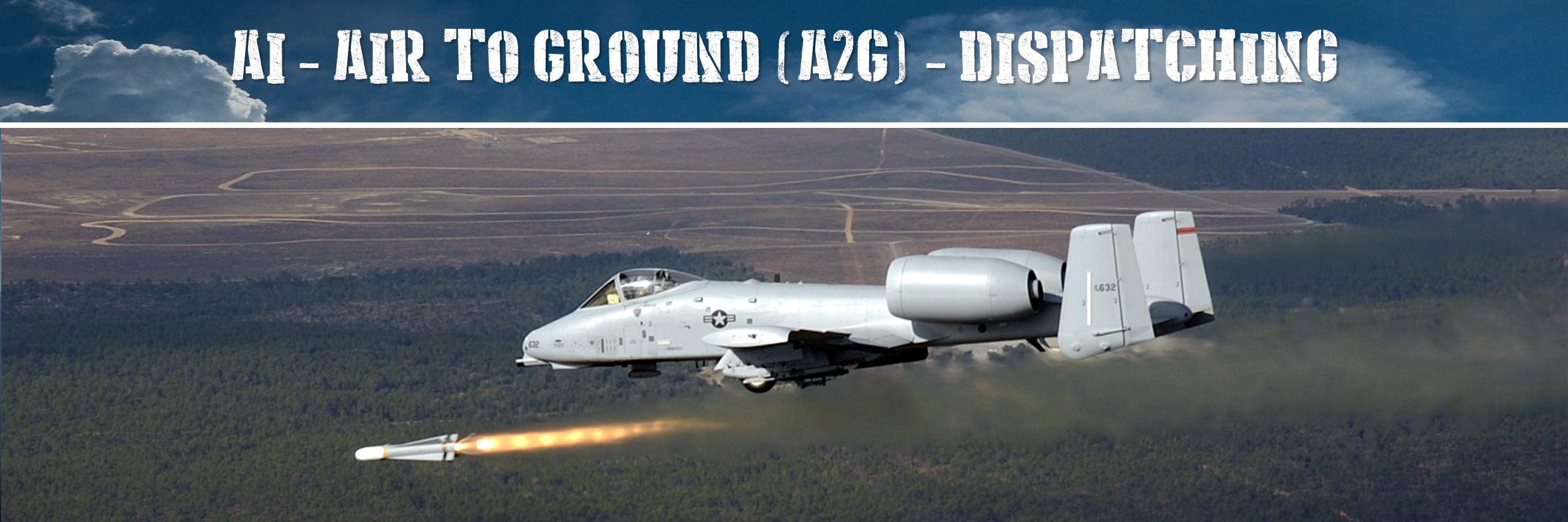
Module Ops.EasyAG
Ops - Create your A2G Defenses.
Main Features:
- Automatically create and manage A2G defenses using an AirWing and Squadrons for one coalition
- Easy set-up
Easy A2G Engagement Class, based on OPS classes
Documentation:
https://flightcontrol-master.github.io/MOOSE_DOCS_DEVELOP/Documentation/Ops.EasyAG.html
Example Missions:
Demo missions can be found on github.
Date: Dec 2025
Last Update: Jan 2026
Main Features:
- Automatically create and manage A2G defenses using an AirWing and Squadrons for one coalition
- Easy set-up
- Add additional AirWings on other airbases
- Each wing can have more than one Squadron - tasking to Squadrons is done on a random basis per AirWing
- Create borders and zones of engagement
- Detection can be ground based and/or via AWACS
AUTHOR: applevangelist
Global(s)
Global EASYA2G |
“High-Threat Close-Air-Support is a Myth.” -- Mike “Starbaby” Pietrucha. |
“High-Threat Close-Air-Support is a Myth.” -- Mike “Starbaby” Pietrucha.
The EasyAG Concept
The idea of this class is partially to make the OPS classes easier operational for an A2G defense network, and to replace the legacy AI_A2G_Dispatcher system - not to it's full extent, but make a basic system work very quickly.
Setup
Basic understanding
The basics are, there is one and only one AirWing per airbase. Each AirWing has at least one Squadron, who will do A2G tasks. Squadrons will be randomly chosen for the task at hand. Each AirWing has at least one Conflict Zone that it manages. COnflict Zones will be covered by the AirWing automatically as long as airframes are available. Detected enemy ground forces will be assigned to one AirWing based on proximity (that is, if you have more than one).
Assignment of tasks for enemies
An exisiting plane or a newly spawned plane will take care of the intruders. Standard overhead is 0.1, i.e. a group of 10 intrudes will be managed by one planes from the assigned AirWing. There is an maximum missions limitation per AirWing, so we do not spam the skies.
Basic set-up code
Prerequisites
You have to put a STATIC WAREHOUSE object on the airbase with the UNIT name according to the name of the airbase. Do not put any other static type or it creates a conflict with the airbase name! E.g. for Kutaisi this has to have the unit name Kutaisi. This object symbolizes the AirWing HQ. Next put a late activated template group for your A2G Squadron on the map. Last, put a zone on the map for the Defense operations, let's name it "Blue Zone 1". Size of the zone plays no role. Put a scout system on the map and name it aptly, like "Blue SCOUT".
Zones
For our example, you create a RED and a BLUE border, as a closed polygonal zone representing the borderlines. You can also have conflict zone, where - for our example - BLUE will attack RED groups, despite being on or close to RED territory. Think of a no-fly zone or an limited area of engagement. Conflict zones take precedence over borders, i.e. they can overlap all borders.
Code it
     -- Set up a basic system for the blue side, we'll reside on Kutaisi, and use GROUP objects with "Blue SCOUT" in the name as Detecting Systems.
     local mywing = EASYA2G:New("A2G",AIRBASE.Caucasus.Kutaisi,"blue","SCOUT")

     -- Add a holding/ingress point belonging to our airbase, we'll be at 5k ft doing 250 kn, initial direction 225 degrees (West), leg 5NM
     -- This will effectively be the ingress coordinate into the cnflict zone
     local Coordinate = ZONE:New("A2G Loitering"):GetCoordinate()
     mywing:AddHoldingPointA2G(AIRBASE.Caucasus.Kutaisi,Coordinate,5000,250,225,5)

     -- Add a recon point over the conflict zone, we'll use a reaper for recon
     local Coordinate2 = ZONE:New("A2G Recon"):GetCoordinate()
     mywing:AddPatrolPointRecon(AIRBASE.Caucasus.Kutaisi,Coordinate2,15000,225,225,5)

     -- Add three Squadrons with templates "Hero 1" and "Hero 2", 20 airframes, skill as set
     mywing:AddSquadron("A2G Flight", "Hero 1", AIRBASE.Caucasus.Kutaisi, 5, AI.Skill.GOOD, Modex, Livery)
     mywing:AddSquadron("A2G Helo", "Hero 2", AIRBASE.Caucasus.Kutaisi, 5, AI.Skill.HIGH, Modex, Livery)
     mywing:AddReconSquadron("Recon Drone", "SpyInTheSky SCOUT", AIRBASE.Caucasus.Kutaisi, 5, AI.Skill.EXCELLENT, Modex, Livery)

     -- Ensure our reaper doesn't get immediately killed
     mywing:SetTankerAndScoutsInvisible(true)

     -- Add a couple of zones
     -- We'll defend our own border
     mywing:AddAcceptZone(ZONE_POLYGON:New( "Blue Border", GROUP:FindByName( "Blue Border" ) ))
     -- We'll attack intruders also here - conflictzones can overlap borders(!) - limited zone of engagement
     mywing:AddConflictZone(ZONE_POLYGON:New("Red Defense Zone", GROUP:FindByName( "Red Defense Zone" )))
     -- We'll leave the reds alone on their turf
     mywing:AddRejectZone(ZONE_POLYGON:New( "Red Border", GROUP:FindByName( "Red Border" ) ))

     -- Optional - Draw the borders on the map so we see what's going on
     -- Set up borders on map
     local BlueBorder = ZONE_POLYGON:New( "Blue Border", GROUP:FindByName( "Blue Border" ) )
     BlueBorder:DrawZone(-1,{0,0,1},1,FillColor,FillAlpha,1,true)
     local ConflictZone = ZONE_POLYGON:New("Red Defense Zone", GROUP:FindByName( "Red Defense Zone" ))
     ConflictZone:DrawZone(-1,{1,1,0},1,FillColor,FillAlpha,2,true)
     local BlueNoGoZone = ZONE_POLYGON:New( "Red Border", GROUP:FindByName( "Red Border" ) )
     BlueNoGoZone:DrawZone(-1,{1,0,0},1,FillColor,FillAlpha,4,true)
Add a second airwing with squads and own patrol point (optional)
     -- Set this up at Sukhumi
     mywing:AddAirwing(AIRBASE.Caucasus.Sukhumi_Babushara,"Blue A2G Sukhumi")
     -- A2G Point "Blue Zone 2"
     mywing:AddPatrolPointA2G(AIRBASE.Caucasus.Sukhumi_Babushara,ZONE:FindByName("Blue Zone 2"):GetCoordinate(),30000,400,90,20)

     -- This one has two squadrons to choose from
     mywing:AddSquadron("Blue Sq3 F16","A2G Sukhumi II",AIRBASE.Caucasus.Sukhumi_Babushara,20,AI.Skill.GOOD,402,"JASDF 6th TFS 43-8526 Skull Riders")
     mywing:AddSquadron("Blue Sq2 F15","A2G Sukhumi I",AIRBASE.Caucasus.Sukhumi_Babushara,20,AI.Skill.GOOD,202,"390th Fighter SQN")
Add a tanker (optional)
   -- **Note** If you need different tanker types, i.e. Boom and Drogue, set them up at different AirWings!
   -- Add a tanker point
   mywing:AddPatrolPointTanker(AIRBASE.Caucasus.Kutaisi,ZONE:FindByName("Blue Zone Tanker"):GetCoordinate(),20000,280,270,50)
   -- Add a tanker squad - Radio 251 AM, TACAN 51Y
   mywing:AddTankerSquadron("Blue Tanker","Tanker Ops Kutaisi",AIRBASE.Caucasus.Kutaisi,20,AI.Skill.EXCELLENT,602,nil,251,radio.modulation.AM,51)
Add an AWACS (optional)
   -- Add an AWACS point
   mywing:AddPatrolPointAwacs(AIRBASE.Caucasus.Kutaisi,ZONE:FindByName("Blue Zone AWACS"):GetCoordinate(),25000,300,270,50)
   -- Add an AWACS squad - Radio 251 AM, TACAN 51Y
   mywing:AddAWACSSquadron("Blue AWACS","AWACS Ops Kutaisi",AIRBASE.Caucasus.Kutaisi,20,AI.Skill.AVERAGE,702,nil,271,radio.modulation.AM)
Fine-Tuning
Change Defaults
- EASYA2G.SetDefaultResurrection: Set how many seconds the AirWing stays inoperable after the AirWing STATIC HQ ist destroyed, default 900 secs.
- EASYA2G.SetDefaultA2GSpeed: Set how many knots the A2G flights should do (will be altitude corrected), default 225 kn.
- EASYA2G.SetDefaultA2GAlt: Set at which altitude (ASL) the A2G planes will fly, default 10,000 ft.
- EASYA2G.SetDefaultA2GDirection: Set the initial direction from the A2G point the planes will fly in degrees, default is 90°.
- EASYA2G.SetDefaultA2GLeg: Set the length of the A2G leg, default is 5 NM.
- EASYA2G.SetDefaultA2GGrouping: Set how many planes will be spawned per mission (CVAP/GCI), defaults to 1.
- EASYA2G.SetDefaultMissionRange: Set how many NM the planes can go from the home base, defaults to 100.
- EASYA2G.SetDefaultNumberAlert5Standby: Set how many planes will be spawned on cold standby (Alert5), default 2.
- EASYA2G.SetDefaultEngageRange: Set max engage range for A2G flights if they detect intruders, defaults to 50.
- EASYA2G.SetMaxAliveMissions: Set max parallel missions can be done (A2G+GCI+Alert5+Tanker+AWACS), defaults to 8.
- EASYA2G.SetDefaultRepeatOnFailure: Set max repeats on failure for intercepting/killing intruders, defaults to 3.
- EASYA2G.SetTankerAndScoutsInvisible: Set Tanker and Scouts to be invisible to enemy AI eyes. Is set to
trueby default.
Debug and Monitor
     mywing.debug = true -- log information
     mywing.Monitor = true -- show some statistics on screen
Type(s)
| Fields and Methods inherited from EASYA2G | Description |
|---|---|
EASYA2G:AddHoldingPointA2G(AirbaseName, Coordinate, Altitude, Speed, Heading, LegLength) |
Add a A2G patrol/holding point to a Wing |
|
Create a new GCIA2G Manager |
|
|
On After "Start" event. |
|
|
On After "Status" event. |
|
|
On Before "Start" event. |
|
|
On Before "Status" event. |
|
|
Set which target types A2G flights will prefer to engage, defaults to {"Ground"} |
|
|
Set A2G Flight formation. |
|
|
Set A2G mission start to vary randomly between Start end End seconds. |
|
|
Set default A2G Altitude in feet |
|
|
Set default A2G lieg initial direction in degrees |
|
|
Set default grouping, i.e. |
|
|
Set default leg length in NM |
|
|
Set default A2G Speed in knots |
|
|
Set Tanker and Scouts to be invisible to enemy AI eyes |
|
|
(Internal) Add a Squadron to an Airwing of the manager |
|
|
Here, we'll decide if we need to launch an attacking flight, and from where |
|
|
Find a holding point closest to the group to be attacked (if any set) |
|
|
(Internal) Start detection. |
|
EASYA2G:_TryAssignMission(ReadyFlightGroups, Auftrag, Group, WingSize) |
(Internal) Try to assign the intercept to a FlightGroup already in air and ready. |
|
Take off type |
|
|
(Internal) FSM Function onafterStart |
|
|
(Internal) FSM Function onafterStatus |
|
|
EASYA2G class version. |
|
| Fields and Methods inherited from EASYGCICAP | Description |
|---|---|
|
Add an AWACS Squadron to an Airwing of the manager |
|
|
Add a zone to the accepted zones set. |
|
|
Add an agent to the underlying INTEL detection - caution, we need to be started first for this to work!
Normally this isn't necessary when the Group name is correctly filled (see EWRName in |
|
|
Add an AirWing to the manager |
|
|
Add a zone to the conflict zones set. |
|
|
Function to add one corridor zone. |
|
EASYA2G:AddPatrolPointAwacs(AirbaseName, Coordinate, Altitude, Speed, Heading, LegLength) |
Add an AWACS patrol point to a Wing |
EASYA2G:AddPatrolPointCAP(AirbaseName, Coordinate, Altitude, Speed, Heading, LegLength) |
Add a CAP patrol point to a Wing |
EASYA2G:AddPatrolPointRecon(AirbaseName, Coordinate, Altitude, Speed, Heading, LegLength) |
Add a RECON patrol point to a Wing |
EASYA2G:AddPatrolPointTanker(AirbaseName, Coordinate, Altitude, Speed, Heading, LegLength) |
Add a TANKER patrol point to a Wing |
EASYA2G:AddReconSquadron(TemplateName, SquadName, AirbaseName, AirFrames, Skill, Modex, Livery) |
Add a Recon Squadron to an Airwing of the manager |
|
Add a zone to the rejected zones set. |
|
EASYA2G:AddSquadron(TemplateName, SquadName, AirbaseName, AirFrames, Skill, Modex, Livery) |
Add a Squadron to an Airwing of the manager |
|
Add a Tanker Squadron to an Airwing of the manager |
|
|
Get a specific managed AirWing by name |
|
|
Get a table of all managed AirWings |
|
|
Create a new GCICAP Manager |
|
|
On After "Restart" event. |
|
|
On After "Start" event. |
|
|
On After "Status" event. |
|
|
On Before "Restart" event. |
|
|
On Before "Start" event. |
|
|
On Before "Status" event. |
|
|
Set which target types CAP flights will prefer to engage, defaults to {"Air"} |
|
|
Set CAP formation. |
|
|
Set CAP mission start to vary randomly between Start end End seconds. |
|
|
Function to set corridor zone floor and ceiling in FEET. |
|
EASYA2G:SetCorridorZoneFloorAndCeilingMeters(Floor, Ceiling) |
Function to set corridor zone floor and ceiling in METERS. |
|
Function to set corridor zones. |
|
|
Set default CAP Altitude in feet |
|
|
Set default CAP lieg initial direction in degrees |
|
|
Set default grouping, i.e. |
|
|
Set default leg length in NM |
|
|
Set default CAP Speed in knots |
|
|
Set default despawning after holding (despawn in air close to AFB). |
|
|
Set default despawning after landing. |
|
|
Set default engage range for intruders detected by CAP flights in NM. |
|
|
Set default INTERCEPT Altitude in feet |
|
|
Set default range planes can fly from their homebase in NM |
|
|
Set default number of airframes standing by for intercept tasks (visible on the airfield) |
|
|
Set default overhead for intercept calculations |
|
|
Add default repeat attempts if an Intruder intercepts fails. |
|
|
Add default time to resurrect Airwing building if destroyed |
|
|
Add default take off type for the airwings. |
|
|
Set default turnover times for squadrons in minutes |
|
|
Set "fuel critical" threshold for CAP and INTERCEPT flights. |
|
|
Set "fuel low" threshold for CAP and INTERCEPT flights. |
|
|
Set Maximum of alive missions created by this instance to stop airplanes spamming the map |
|
|
Set Tanker and AWACS to be invisible to enemy AI eyes |
|
|
Set markers on the map for Patrol Points. |
|
|
(Internal) Add a AWACS Squadron to an Airwing of the manager |
|
|
(Internal) Create and add another AirWing to the manager |
|
EASYA2G:_AddReconSquadron(TemplateName, SquadName, AirbaseName, AirFrames, Skill, Modex, Livery) |
(Internal) Add a Recon Squadron to an Airwing of the manager |
|
(Internal) Add a Squadron to an Airwing of the manager |
|
|
(Internal) Add a Tanker Squadron to an Airwing of the manager |
|
|
Here, we'll decide if we need to launch an intercepting flight, and from where |
|
|
(internal) Count alive missions in our internal stack. |
|
|
(Internal) Create actual AirWings from the list |
|
|
(Internal) Create actual Squadrons from the list |
|
|
(Internal) Set actual Awacs Points from the list |
|
|
(Internal) Set actual PatrolPoints from the list |
|
|
(Internal) Set actual PatrolPoints from the list |
|
|
(Internal) Set actual Tanker Points from the list |
|
|
(Internal) Start detection. |
|
EASYA2G:_TryAssignIntercept(ReadyFlightGroups, InterceptAuftrag, Group, WingSize) |
(Internal) Try to assign the intercept to a FlightGroup already in air and ready. |
|
Take off type |
|
|
(Internal) FSM Function onafterRestart |
|
|
(Internal) FSM Function onafterStart |
|
|
(Internal) FSM Function onafterStatus |
|
|
(Internal) FSM Function onafterStop |
|
|
(Internal) FSM Function onbeforeStatus |
|
|
EASYGCICAP class version. |
|
| Fields and Methods inherited from FSM | Description |
|---|---|
|
Adds an End state. |
|
|
Set the default #FSM_PROCESS template with key ProcessName providing the ProcessClass and the process object when it is assigned to a Wrapper.Controllable by the task. |
|
|
Adds a score for the FSM to be achieved. |
|
EASYA2G:AddScoreProcess(From, Event, State, ScoreText, Score) |
Adds a score for the FSM_PROCESS to be achieved. |
|
Add a new transition rule to the FSM. |
|
|
Call scheduler. |
|
|
Name of the class. |
|
|
Get current state. |
|
|
Returns the End states. |
|
|
Returns a table of the SubFSM rules defined within the FSM. |
|
|
Returns a table with the scores defined. |
|
|
Returns the start state of the FSM. |
|
|
Get current state. |
|
|
Returns a table with the Subs defined. |
|
|
Returns a table of the transition rules defined within the FSM. |
|
|
Check if FSM is in state. |
|
|
Load call backs. |
|
|
Creates a new FSM object. |
|
|
Scores. |
|
|
Sets the start state of the FSM. |
|
|
Clear scheduled FSM event. |
|
|
Add to map. |
|
|
Call handler. |
|
|
Create transition. |
|
|
Delayed transition. |
|
|
Event map. |
|
|
Go sub. |
|
|
Handler. |
|
|
Is end state. |
|
|
Sub maps. |
|
|
Check if can do an event. |
|
|
Check if cannot do an event. |
|
|
Current state name. |
|
|
Check if FSM is in state. |
|
|
Options. |
|
|
Subs. |
| Fields and Methods inherited from BASE | Description |
|---|---|
|
The ID number of the class. |
|
|
The name of the class. |
|
|
The name of the class concatenated with the ID number of the class. |
|
|
Clear the state of an object. |
|
EASYA2G:CreateEventBirth(EventTime, Initiator, IniUnitName, place, subplace) |
Creation of a Birth Event. |
EASYA2G:CreateEventCrash(EventTime, Initiator, IniObjectCategory) |
Creation of a Crash Event. |
EASYA2G:CreateEventDead(EventTime, Initiator, IniObjectCategory) |
Creation of a Dead Event. |
|
Creation of a S_EVENT_DYNAMIC_CARGO_LOADED event. |
|
|
Creation of a S_EVENT_DYNAMIC_CARGO_REMOVED event. |
|
|
Creation of a S_EVENT_DYNAMIC_CARGO_UNLOADED event. |
|
|
Creation of a |
|
|
Creation of a S_EVENT_NEW_DYNAMIC_CARGO event. |
|
|
Creation of a |
|
|
Creation of a Remove Unit Event. |
|
|
Creation of a Takeoff Event. |
|
|
Creation of a Crash Event. |
|
|
Log an exception which will be traced always. |
|
|
Returns the event dispatcher |
|
|
Remove all subscribed events |
|
|
Trace a function call. |
|
|
Trace a function call level 2. |
|
|
Trace a function call level 3. |
|
|
Get the ClassID of the class instance. |
|
|
Get the ClassName of the class instance. |
|
|
Get the ClassName + ClassID of the class instance. |
|
|
Get the Class Core.Event processing Priority. |
|
|
This is the worker method to retrieve the Parent class. |
|
|
Get all of the properties of an object in a table. |
|
|
Get one property of an object by the key. |
|
|
Get a Value given a Key from the Object. |
|
|
Subscribe to a DCS Event. |
|
|
Log an information which will be traced always. |
|
|
This is the worker method to inherit from a parent class. |
|
|
This is the worker method to check if an object is an (sub)instance of a class. |
|
|
Enquires if tracing is on (for the class). |
|
|
BASE constructor. |
|
|
Occurs when an Event for an object is triggered. |
|
|
BDA. |
|
|
Occurs when a ground unit captures either an airbase or a farp. |
|
|
Occurs when any object is spawned into the mission. |
|
|
Occurs when any aircraft crashes into the ground and is completely destroyed. |
|
|
Occurs when an object is dead. |
|
|
Unknown precisely what creates this event, likely tied into newer damage model. |
|
|
Discard chair after ejection. |
|
|
Occurs when a player loads a dynamic cargo object with the F8 ground crew menu into a helo. |
|
|
Occurs when a dynamic cargo crate is removed. |
|
|
Occurs when a player unloads a dynamic cargo object with the F8 ground crew menu from a helo. |
|
|
Occurs when a pilot ejects from an aircraft Have a look at the class Core.Event#EVENT as these are just the prototypes. |
|
|
Occurs when any aircraft shuts down its engines. |
|
|
Occurs when any aircraft starts its engines. |
|
|
Occurs when an option is changed for an AI group. |
|
|
Occurs whenever an object is hit by a weapon. |
|
|
Occurs when any system fails on a human controlled aircraft. |
|
|
Occurs on the death of a unit. |
|
|
Occurs when an aircraft lands at an airbase, farp or ship Have a look at the class Core.Event#EVENT as these are just the prototypes. |
|
|
Occurs shortly after the landing animation of an ejected pilot touching the ground and standing up. |
|
|
Landing quality mark. |
|
|
Occurs when a new mark was added. |
|
|
Occurs when a mark text was changed. |
|
|
Occurs when a mark was removed. |
|
|
Occurs when a mission ends Have a look at the class Core.Event#EVENT as these are just the prototypes. |
|
|
Occurs when a mission starts Have a look at the class Core.Event#EVENT as these are just the prototypes. |
|
|
Occurs when a player creates a dynamic cargo object from the F8 ground crew menu. |
|
|
Weapon add. |
|
|
Occurs when the pilot of an aircraft is killed. |
|
|
Occurs when a player enters a slot and takes control of an aircraft. |
|
|
Occurs when any player assumes direct control of a unit. |
|
|
Occurs when any player relieves control of a unit to the AI. |
|
|
Occurs when an aircraft connects with a tanker and begins taking on fuel. |
|
|
Occurs when an aircraft is finished taking fuel. |
|
|
Occurs when any modification to the "Score" as seen on the debrief menu would occur. |
|
|
Occurs when any unit stops firing its weapon. |
|
|
Occurs when any unit begins firing a weapon that has a high rate of fire. |
|
|
Occurs whenever any unit in a mission fires a weapon. |
|
|
Occurs when an aircraft takes off from an airbase, farp, or ship. |
|
|
Trigger zone. |
|
|
Occurs when the game thinks an object is destroyed. |
|
|
Schedule a new time event. |
|
EASYA2G:ScheduleRepeat(Start, Repeat, RandomizeFactor, Stop, SchedulerFunction, ...) |
Schedule a new time event. |
|
Stops the Schedule. |
|
|
The scheduler object. |
|
|
Set the Class Core.Event processing Priority. |
|
|
Set one property of an object. |
|
|
Set a state or property of the Object given a Key and a Value. |
|
|
Trace a function logic level 1. |
|
|
Trace a function logic level 2. |
|
|
Trace a function logic level 3. |
|
|
Trace all methods in MOOSE |
|
|
Set tracing for a class |
|
|
Set tracing for a specific method of class |
|
|
Set trace level |
|
|
Set trace off. |
|
|
Set trace on. |
|
|
Set trace on or off Note that when trace is off, no BASE.Debug statement is performed, increasing performance! When Moose is loaded statically, (as one file), tracing is switched off by default. |
|
|
UnSubscribe to a DCS event. |
|
EASYA2G:_F(Arguments, DebugInfoCurrentParam, DebugInfoFromParam) |
Trace a function call. |
|
(Internal) Serialize arguments |
|
EASYA2G:_T(Arguments, DebugInfoCurrentParam, DebugInfoFromParam) |
Trace a function logic. |
|
The main event handling function... |
| Fields and Methods inherited from EASYA2G.CapPoint | Description |
|---|---|
| Fields and Methods inherited from EASYA2G.Squad | Description |
|---|---|
| Fields and Methods inherited from EASYA2G.Wing | Description |
|---|---|
| Fields and Methods inherited from EASYGCICAP.CapPoint | Description |
|---|---|
EASYA2G Class
Field(s)
or self.coalitionname.." EWR" self.CapZoneName = CapZoneName
Take off type
Set some string id for output to DCS.log file.
EASYA2G class version.
Function(s)
Add a A2G patrol/holding point to a Wing
Defined in:
EASYA2G
Parameters:
#string AirbaseName
Name of the Wing's airbase
Core.Point#COORDINATE Coordinate
Can be handed as a Core.Zone#ZONE object (e.g. in case you want the point to align with a moving zone).
#number Altitude
(Optional) Defaults to 25000 feet ASL.
#number Speed
(Optional) Defaults to 300 knots TAS.
#number Heading
(Optional) Defaults to 90 degrees (East).
#number LegLength
(Optional) Defaults to 15 NM.
Return value:
self
Create a new GCIA2G Manager
Defined in:
EASYA2G
Parameters:
#string Alias
A Name for this A2G Setup
#string AirbaseName
Name of the Home Airbase
#string Coalition
Coalition, e.g. "blue" or "red"
#string ScoutName
(Partial) group name of the detection system of the coalition, e.g. "Red SCOUT", can be handed in as table of names, e.g.{"SCOUT","DRONE","SAM"}
Return value:
self
On After "Start" event.
Defined in:
EASYA2G
Parameters:
#string From
From state.
#string Event
Event.
#string To
To state.
On After "Status" event.
Defined in:
EASYA2G
Parameters:
#string From
From state.
#string Event
Event.
#string To
To state.
On Before "Start" event.
Defined in:
EASYA2G
Parameters:
#string From
From state.
#string Event
Event.
#string To
To state.
On Before "Status" event.
Defined in:
EASYA2G
Parameters:
#string From
From state.
#string Event
Event.
#string To
To state.
Set which target types A2G flights will prefer to engage, defaults to {"Ground"}
Defined in:
EASYA2G
Parameter:
#table types
(Optional) Table of comma separated #string entries, defaults to {"Ground"} (everything that is ground and is not a weapon). Useful other options are e.g. {"Armored vehicles"}, {"Tanks"}, or {"APC"} or combinations like {"APC", "Tanks", "Artillery"}. See Hoggit Wiki.
Return value:
self
Set A2G Flight formation.
Defined in:
EASYA2G
Parameter:
#number Formation
(Optional) Formation to fly, defaults to ENUMS.Formation.FixedWing.FingerFour.Group
Return value:
self
Set A2G mission start to vary randomly between Start end End seconds.
Set default A2G Altitude in feet
Defined in:
EASYA2G
Parameter:
#number Altitude
(Optional) Altitude defaults to 25000
Return value:
self
Set default A2G lieg initial direction in degrees
Defined in:
EASYA2G
Parameter:
#number Direction
(Optional) Direction defaults to 90 (East)
Return value:
self
Set default grouping, i.e.
how many airplanes per A2G point
Defined in:
EASYA2G
Parameter:
#number Grouping
(Optional) Grouping defaults to 2
Return value:
self
Set default leg length in NM
Defined in:
EASYA2G
Parameter:
#number Leg
(Optional) Leg defaults to 5
Return value:
self
Set default A2G Speed in knots
Defined in:
EASYA2G
Parameter:
#number Speed
(Optional) Speed defaults to 300
Return value:
self
Set Tanker and Scouts to be invisible to enemy AI eyes
Defined in:
EASYA2G
Parameter:
#boolean Switch
(Optional) Set to true or false, by default this is set to true already
Return value:
self
(Internal) Add a Squadron to an Airwing of the manager
Defined in:
EASYA2G
Parameters:
#string TemplateName
Name of the group template.
#string SquadName
Squadron name - must be unique!
#string AirbaseName
Name of the airbase the airwing resides on, e.g. AIRBASE.Caucasus.Kutaisi
#number AirFrames
Number of available airframes, e.g. 20.
#string Skill
optional) Skill level, e.g. AI.Skill.AVERAGE
#string Modex
(optional) Modex to be used,e.g. 402.
#string Livery
(optional) Livery name to be used.
#number Frequency
(optional) Radio Frequency to be used.
#number Modulation
(optional) Radio Modulation to be used, e.g. radio.modulation.AM or radio.modulation.FM
Return value:
self
Here, we'll decide if we need to launch an attacking flight, and from where
Find a holding point closest to the group to be attacked (if any set)
(Internal) Try to assign the intercept to a FlightGroup already in air and ready.
Defined in:
EASYA2G
Parameters:
#table ReadyFlightGroups
ReadyFlightGroups
Ops.Auftrag#AUFTRAG Auftrag
The Auftrag
Wrapper.Group#GROUP Group
The Target
#number WingSize
Calculated number of Flights
Return values:
#boolean:
assigned
#number:
leftover
(Internal) FSM Function onafterStart
(Internal) FSM Function onafterStatus
Field(s)
or self.coalitionname.." EWR" self.CapZoneName = CapZoneName
Take off type
Set some string id for output to DCS.log file.
EASYA2G class version.
Function(s)
Add an AWACS Squadron to an Airwing of the manager
Defined in:
Parameters:
#string TemplateName
Name of the group template.
#string SquadName
Squadron name - must be unique!
#string AirbaseName
Name of the airbase the airwing resides on, e.g. AIRBASE.Caucasus.Kutaisi
#number AirFrames
Number of available airframes, e.g. 20.
#string Skill
optional) Skill level, e.g. AI.Skill.AVERAGE
#string Modex
(optional) Modex to be used,e.g. 402.
#string Livery
(optional) Livery name to be used.
#number Frequency
(optional) Radio Frequency to be used.
#number Modulation
(optional) Radio Modulation to be used, e.g. radio.modulation.AM or radio.modulation.FM
Return value:
self
Add a zone to the accepted zones set.
Add an agent to the underlying INTEL detection - caution, we need to be started first for this to work!
Normally this isn't necessary when the Group name is correctly filled (see EWRName in New()).
Defined in:
Parameter:
Wrapper.Group#GROUP Group
The group object to be added as Intel Agent.
Return value:
self
Add an AirWing to the manager
Defined in:
Parameters:
#string Airbasename
#string Alias
Return value:
self
Add a zone to the conflict zones set.
Function to add one corridor zone.
Add an AWACS patrol point to a Wing
Defined in:
Parameters:
#string AirbaseName
Name of the Wing's airbase
Core.Point#COORDINATE Coordinate
Can be handed as a Core.Zone#ZONE object (e.g. in case you want the point to align with a moving zone).
#number Altitude
(Optional) Defaults to 25000 feet.
#number Speed
(Optional) Defaults to 300 knots.
#number Heading
(Optional) Defaults to 90 degrees (East).
#number LegLength
(Optional) Defaults to 15 NM.
Return value:
self
Add a CAP patrol point to a Wing
Defined in:
Parameters:
#string AirbaseName
Name of the Wing's airbase
Core.Point#COORDINATE Coordinate
Can be handed as a Core.Zone#ZONE object (e.g. in case you want the point to align with a moving zone).
#number Altitude
(Optional) Defaults to 25000 feet ASL.
#number Speed
(Optional) Defaults to 300 knots TAS.
#number Heading
(Optional) Defaults to 90 degrees (East).
#number LegLength
Optional) Defaults to 15 NM.
Return value:
self
Add a RECON patrol point to a Wing
Defined in:
Parameters:
#string AirbaseName
Name of the Wing's airbase
Core.Point#COORDINATE Coordinate
Can be handed as a Core.Zone#ZONE object (e.g. in case you want the point to align with a moving zone).
#number Altitude
(Optional) Defaults to 25000 feet.
#number Speed
(Optional) Defaults to 300 knots.
#number Heading
(Optional) Defaults to 90 degrees (East).
#number LegLength
(Optional) Defaults to 15 NM.
Return value:
self
Add a TANKER patrol point to a Wing
Defined in:
Parameters:
#string AirbaseName
Name of the Wing's airbase
Core.Point#COORDINATE Coordinate
Can be handed as a Core.Zone#ZONE object (e.g. in case you want the point to align with a moving zone).
#number Altitude
(Optional) Defaults to 25000 feet.
#number Speed
(Optional) Defaults to 300 knots.
#number Heading
(Optional) Defaults to 90 degrees (East).
#number LegLength
(Optional) Defaults to 15 NM.
Return value:
self
Add a Recon Squadron to an Airwing of the manager
Defined in:
Parameters:
#string TemplateName
Name of the group template.
#string SquadName
Squadron name - must be unique!
#string AirbaseName
Name of the airbase the airwing resides on, e.g. AIRBASE.Caucasus.Kutaisi
#number AirFrames
Number of available airframes, e.g. 20.
#string Skill
optional) Skill level, e.g. AI.Skill.AVERAGE
#string Modex
(optional) Modex to be used,e.g. 402.
#string Livery
(optional) Livery name to be used.
Return value:
self
Add a zone to the rejected zones set.
Add a Squadron to an Airwing of the manager
Defined in:
Parameters:
#string TemplateName
Name of the group template.
#string SquadName
Squadron name - must be unique!
#string AirbaseName
Name of the airbase the airwing resides on, e.g. AIRBASE.Caucasus.Kutaisi
#number AirFrames
Number of available airframes, e.g. 20.
#string Skill
(optional) Skill level, e.g. AI.Skill.AVERAGE
#string Modex
(optional) Modex to be used,e.g. 402.
#string Livery
(optional) Livery name to be used.
Return value:
self
Add a Tanker Squadron to an Airwing of the manager
Defined in:
Parameters:
#string TemplateName
Name of the group template.
#string SquadName
Squadron name - must be unique!
#string AirbaseName
Name of the airbase the airwing resides on, e.g. AIRBASE.Caucasus.Kutaisi
#number AirFrames
Number of available airframes, e.g. 20.
#string Skill
optional) Skill level, e.g. AI.Skill.AVERAGE
#string Modex
(optional) Modex to be used,e.g. 402.
#string Livery
(optional) Livery name to be used.
#number Frequency
(optional) Radio Frequency to be used.
#number Modulation
(optional) Radio Modulation to be used, e.g. radio.modulation.AM or radio.modulation.FM
#number TACAN
(optional) TACAN channel, e.g. 71, resulting in Channel 71Y
Return value:
self
Get a specific managed AirWing by name
Defined in:
Parameter:
#string AirbaseName
Airbase name of the home of this wing.
Return value:
Airwing or nil if not found
Get a table of all managed AirWings
Create a new GCICAP Manager
Defined in:
Parameters:
#string Alias
A Name for this GCICAP
#string AirbaseName
Name of the Home Airbase
#string Coalition
Coalition, e.g. "blue" or "red"
#string EWRName
(Partial) group name of the EWR system of the coalition, e.g. "Red EWR", can be handed in as table of names, e.g.{"EWR","Radar","SAM"}
Return value:
self
On After "Restart" event.
Use myinstance:Restart() in case you Stopped the instance before and want to restart it now.
Defined in:
Parameters:
#string From
From state.
#string Event
Event.
#string To
To state.
On After "Start" event.
Defined in:
Parameters:
#string From
From state.
#string Event
Event.
#string To
To state.
On After "Status" event.
Defined in:
Parameters:
#string From
From state.
#string Event
Event.
#string To
To state.
On Before "Restart" event.
Use myinstance:Restart() in case you Stopped the instance before and want to restart it now.
Defined in:
Parameters:
#string From
From state.
#string Event
Event.
#string To
To state.
On Before "Start" event.
Defined in:
Parameters:
#string From
From state.
#string Event
Event.
#string To
To state.
On Before "Status" event.
Defined in:
Parameters:
#string From
From state.
#string Event
Event.
#string To
To state.
Set which target types CAP flights will prefer to engage, defaults to {"Air"}
Defined in:
Parameter:
#table types
(Optional) Table of comma separated #string entries, defaults to {"Air"} (everything that flies and is not a weapon). Useful other options are e.g. {"Bombers"}, {"Fighters"}, or {"Helicopters"} or combinations like {"Bombers", "Fighters", "UAVs"}. See Hoggit Wiki.
Return value:
self
Set CAP formation.
Defined in:
Parameter:
#number Formation
(Optional) Formation to fly, defaults to ENUMS.Formation.FixedWing.FingerFour.Group
Return value:
self
Set CAP mission start to vary randomly between Start end End seconds.
Defined in:
Parameters:
#number Start
#number End
Return value:
self
Function to set corridor zone floor and ceiling in FEET.
Defined in:
Parameters:
#number Floor
Floor altitude ASL in feet.
#number Ceiling
Ceiling altitude ASL in feet.
Return value:
self
Function to set corridor zone floor and ceiling in METERS.
Defined in:
Parameters:
#number Floor
Floor altitude ASL in meters.
#number Ceiling
Ceiling altitude ASL in meters.
Return value:
self
Function to set corridor zones.
Defined in:
Parameter:
Core.Set#SET_ZONE CorridorZones
Can be handed in as SET_ZONE or single ZONE object.
Return value:
self
Set default CAP Altitude in feet
Defined in:
Parameter:
#number Altitude
(Optional) Altitude defaults to 25000
Return value:
self
Set default CAP lieg initial direction in degrees
Defined in:
Parameter:
#number Direction
(Optional) Direction defaults to 90 (East)
Return value:
self
Set default grouping, i.e.
how many airplanes per CAP point
Defined in:
Parameter:
#number Grouping
(Optional) Grouping defaults to 2
Return value:
self
Set default leg length in NM
Defined in:
Parameter:
#number Leg
(Optional) Leg defaults to 15
Return value:
self
Set default CAP Speed in knots
Defined in:
Parameter:
#number Speed
(Optional) Speed defaults to 300
Return value:
self
Set default despawning after holding (despawn in air close to AFB).
Set default despawning after landing.
Set default engage range for intruders detected by CAP flights in NM.
Defined in:
Parameter:
#number Range
(Optional) defaults to 50NM
Return value:
self
Set default INTERCEPT Altitude in feet
Defined in:
Parameter:
#number Altitude
(Optional) Altitude defaults to 25000
Return value:
self
Set default range planes can fly from their homebase in NM
Defined in:
Parameter:
#number Range
(Optional) Range defaults to 100 NM
Return value:
self
Set default number of airframes standing by for intercept tasks (visible on the airfield)
Defined in:
Parameter:
#number Airframes
(Optional) defaults to 2
Return value:
self
Set default overhead for intercept calculations
Defined in:
Parameter:
#number Overhead
The overhead to use.
Return value:
self
Usage:
Either a CAP Plane or a newly spawned GCI plane will take care of intruders. Standard overhead is 0.75, i.e. a group of 3 intrudes will
be managed by 2 planes from the assigned AirWing. There is an maximum missions limitation per AirWing, so we do not spam the skies.Add default repeat attempts if an Intruder intercepts fails.
Defined in:
Parameter:
#number Retries
(Optional) Retries, defaults to 3
Return value:
self
Add default time to resurrect Airwing building if destroyed
Defined in:
Parameter:
#number Seconds
(Optional) Seconds, defaults to 900
Return value:
self
Add default take off type for the airwings.
Defined in:
Parameter:
#string Takeoff
(Optional) Can be "hot", "cold", or "air" - default is "hot".
Return value:
self
Set default turnover times for squadrons in minutes
Defined in:
Parameters:
#number MaintenanceTime
(Optional) Time in minutes it takes until a flight is combat ready again. Default is 5 min.
#number RepairTime
(Optional) Time in minutes it takes to repair a flight for each life point taken. Default is 10 min.
Return value:
self
Set "fuel critical" threshold for CAP and INTERCEPT flights.
Defined in:
Parameter:
#number Percent
(Optional) RTB if fuel at this percent. Values: 1..100, defaults to 10.
Return value:
self
Set "fuel low" threshold for CAP and INTERCEPT flights.
Defined in:
Parameter:
#number Percent
(Optional) RTB if fuel at this percent. Values: 1..100, defaults to 25.
Return value:
self
Set Maximum of alive missions created by this instance to stop airplanes spamming the map
Defined in:
Parameter:
#number Maxiumum
(Optional) Maxmimum number of parallel missions allowed. Count is Intercept-Missions + Alert5-Missions, default is 8
Return value:
self
Set Tanker and AWACS to be invisible to enemy AI eyes
Defined in:
Parameter:
#boolean Switch
Set to true or false, by default this is set to true already
Return value:
self
Set markers on the map for Patrol Points.
Defined in:
Parameter:
#boolean onoff
Set to true to switch markers on.
Return value:
self
(Internal) Add a AWACS Squadron to an Airwing of the manager
Defined in:
Parameters:
#string TemplateName
Name of the group template.
#string SquadName
Squadron name - must be unique!
#string AirbaseName
Name of the airbase the airwing resides on, e.g. AIRBASE.Caucasus.Kutaisi
#number AirFrames
Number of available airframes, e.g. 20.
#string Skill
optional) Skill level, e.g. AI.Skill.AVERAGE
#string Modex
(optional) Modex to be used,e.g. 402.
#string Livery
(optional) Livery name to be used.
#number Frequency
(optional) Radio frequency of the AWACS
#number Modulation
(Optional) Radio modulation of the AWACS
Return value:
self
(Internal) Create and add another AirWing to the manager
Defined in:
Parameters:
#string Airbasename
#string Alias
Return value:
self
(Internal) Add a Recon Squadron to an Airwing of the manager
Defined in:
Parameters:
#string TemplateName
Name of the group template.
#string SquadName
Squadron name - must be unique!
#string AirbaseName
Name of the airbase the airwing resides on, e.g. AIRBASE.Caucasus.Kutaisi
#number AirFrames
Number of available airframes, e.g. 20.
#string Skill
optional) Skill level, e.g. AI.Skill.AVERAGE
#string Modex
(optional) Modex to be used,e.g. 402.
#string Livery
(optional) Livery name to be used.
Return value:
self
(Internal) Add a Squadron to an Airwing of the manager
Defined in:
Parameters:
#string TemplateName
Name of the group template.
#string SquadName
Squadron name - must be unique!
#string AirbaseName
Name of the airbase the airwing resides on, e.g. AIRBASE.Caucasus.Kutaisi
#number AirFrames
Number of available airframes, e.g. 20.
#string Skill
optional) Skill level, e.g. AI.Skill.AVERAGE
#string Modex
(optional) Modex to be used,e.g. 402.
#string Livery
(optional) Livery name to be used.
#number Frequency
(optional) Radio Frequency to be used.
#number Modulation
(optional) Radio Modulation to be used, e.g. radio.modulation.AM or radio.modulation.FM
Return value:
self
(Internal) Add a Tanker Squadron to an Airwing of the manager
Defined in:
Parameters:
#string TemplateName
Name of the group template.
#string SquadName
Squadron name - must be unique!
#string AirbaseName
Name of the airbase the airwing resides on, e.g. AIRBASE.Caucasus.Kutaisi
#number AirFrames
Number of available airframes, e.g. 20.
#string Skill
optional) Skill level, e.g. AI.Skill.AVERAGE
#string Modex
(optional) Modex to be used,e.g. 402.
#string Livery
(optional) Livery name to be used.
#number Frequency
(optional) Radio frequency of the Tanker
#number Modulation
(Optional) Radio modulation of the Tanker
#number TACAN
(Optional) TACAN Channel to be used, will always be an "Y" channel
Return value:
self
Here, we'll decide if we need to launch an intercepting flight, and from where
(internal) Count alive missions in our internal stack.
(Internal) Create actual AirWings from the list
(Internal) Create actual Squadrons from the list
(Internal) Set actual Awacs Points from the list
(Internal) Set actual PatrolPoints from the list
(Internal) Set actual PatrolPoints from the list
(Internal) Set actual Tanker Points from the list
(Internal) Start detection.
(Internal) Try to assign the intercept to a FlightGroup already in air and ready.
Defined in:
Parameters:
#table ReadyFlightGroups
ReadyFlightGroups
Ops.Auftrag#AUFTRAG InterceptAuftrag
The Auftrag
Wrapper.Group#GROUP Group
The Target
#number WingSize
Calculated number of Flights
Return values:
#boolean:
assigned
#number:
leftover
(Internal) FSM Function onafterRestart
Defined in:
Parameters:
#string From
#string Event
#string To
Return value:
self
(Internal) FSM Function onafterStart
Defined in:
Parameters:
#string From
#string Event
#string To
Return value:
self
(Internal) FSM Function onafterStatus
Defined in:
Parameters:
#string From
#string Event
#string To
Return value:
self
(Internal) FSM Function onafterStop
Defined in:
Parameters:
#string From
#string Event
#string To
Return value:
self
(Internal) FSM Function onbeforeStatus
Defined in:
Parameters:
#string From
#string Event
#string To
Return value:
self
Field(s)
or self.coalitionname.." EWR" self.CapZoneName = CapZoneName
Take off type
Set some string id for output to DCS.log file.
EASYA2G class version.
Function(s)
Adds an End state.
Set the default #FSM_PROCESS template with key ProcessName providing the ProcessClass and the process object when it is assigned to a Wrapper.Controllable by the task.
Defined in:
Parameters:
#table From
Can contain a string indicating the From state or a table of strings containing multiple From states.
#string Event
The Event name.
Core.Fsm#FSM_PROCESS Process
An sub-process FSM.
#table ReturnEvents
A table indicating for which returned events of the SubFSM which Event must be triggered in the FSM.
Return value:
The SubFSM.
Adds a score for the FSM to be achieved.
Defined in:
Parameters:
#string State
is the state of the process when the score needs to be given. (See the relevant state descriptions of the process).
#string ScoreText
is a text describing the score that is given according the status.
#number Score
is a number providing the score of the status.
Return value:
#FSM:
self
Adds a score for the FSM_PROCESS to be achieved.
Defined in:
Parameters:
#string From
is the From State of the main process.
#string Event
is the Event of the main process.
#string State
is the state of the process when the score needs to be given. (See the relevant state descriptions of the process).
#string ScoreText
is a text describing the score that is given according the status.
#number Score
is a number providing the score of the status.
Return value:
#FSM:
self
Add a new transition rule to the FSM.
A transition rule defines when and if the FSM can transition from a state towards another state upon a triggered event.
Defined in:
Parameters:
#table From
Can contain a string indicating the From state or a table of strings containing multiple From states.
#string Event
The Event name.
#string To
The To state.
Get current state.
Returns the End states.
Returns a table of the SubFSM rules defined within the FSM.
Returns a table with the scores defined.
Returns the start state of the FSM.
Get current state.
Returns a table with the Subs defined.
Returns a table of the transition rules defined within the FSM.
Check if FSM is in state.
Defined in:
Parameter:
#string State
State name.
Return value:
#boolean:
If true, FSM is in this state.
Load call backs.
Sets the start state of the FSM.
Clear scheduled FSM event.
Add to map.
Call handler.
Defined in:
Parameters:
#string step
Step "onafter", "onbefore", "onenter", "onleave".
#string trigger
Trigger.
#table params
Parameters.
#string EventName
Event name.
Return value:
Value.
Create transition.
Defined in:
Parameter:
#string EventName
Event name.
Return value:
#function:
Function.
Delayed transition.
Defined in:
Parameter:
#string EventName
Event name.
Return value:
#function:
Function.
Event map.
Go sub.
Defined in:
Parameters:
#string ParentFrom
Parent from state.
#string ParentEvent
Parent event name.
Return value:
#table:
Subs.
Handler.
Is end state.
Defined in:
Parameter:
#string Current
Current state name.
Return values:
#table:
FSM parent.
#string:
Event name.
Sub maps.
Check if can do an event.
Defined in:
Parameter:
#string e
Event name.
Return values:
#boolean:
If true, FSM can do the event.
#string:
To state.
Check if cannot do an event.
Defined in:
Parameter:
#string e
Event name.
Return value:
#boolean:
If true, FSM cannot do the event.
Check if FSM is in state.
Defined in:
Parameters:
#string State
State name.
state
Return value:
#boolean:
If true, FSM is in this state.
Field(s)
or self.coalitionname.." EWR" self.CapZoneName = CapZoneName
Take off type
Set some string id for output to DCS.log file.
EASYA2G class version.
Function(s)
Clear the state of an object.
Defined in:
Parameters:
Object
The object that holds the Value set by the Key.
StateName
The key that is should be cleared.
Creation of a Birth Event.
Defined in:
Parameters:
DCS#Time EventTime
The time stamp of the event.
DCS#Object Initiator
The initiating object of the event.
#string IniUnitName
The initiating unit name.
place
subplace
Creation of a Crash Event.
Defined in:
Parameters:
DCS#Time EventTime
The time stamp of the event.
DCS#Object Initiator
The initiating object of the event.
IniObjectCategory
Creation of a Dead Event.
Defined in:
Parameters:
DCS#Time EventTime
The time stamp of the event.
DCS#Object Initiator
The initiating object of the event.
IniObjectCategory
Creation of a S_EVENT_DYNAMIC_CARGO_LOADED event.
Creation of a S_EVENT_DYNAMIC_CARGO_REMOVED event.
Creation of a S_EVENT_DYNAMIC_CARGO_UNLOADED event.
Creation of a S_EVENT_GROUP_CHANGE_OPTION event.
Creation of a S_EVENT_NEW_DYNAMIC_CARGO event.
Creation of a S_EVENT_PLAYER_ENTER_AIRCRAFT event.
Creation of a Remove Unit Event.
Defined in:
Parameters:
DCS#Time EventTime
The time stamp of the event.
DCS#Object Initiator
The initiating object of the event.
Creation of a Takeoff Event.
Defined in:
Parameters:
DCS#Time EventTime
The time stamp of the event.
DCS#Object Initiator
The initiating object of the event.
Creation of a Crash Event.
Defined in:
Parameters:
DCS#Time EventTime
The time stamp of the event.
DCS#Object Initiator
The initiating object of the event.
Log an exception which will be traced always.
Can be anywhere within the function logic.
Returns the event dispatcher
Remove all subscribed events
Trace a function call.
Must be at the beginning of the function logic.
Trace a function call level 2.
Must be at the beginning of the function logic.
Trace a function call level 3.
Must be at the beginning of the function logic.
Get the ClassID of the class instance.
Get the ClassName of the class instance.
Get the ClassName + ClassID of the class instance.
The ClassName + ClassID is formatted as '%s#%09d'.
Get the Class Core.Event processing Priority.
The Event processing Priority is a number from 1 to 10, reflecting the order of the classes subscribed to the Event to be processed.
This is the worker method to retrieve the Parent class.
Note that the Parent class must be passed to call the parent class method.
self:GetParent(self):ParentMethod()
Get all of the properties of an object in a table.
Get one property of an object by the key.
Defined in:
Parameter:
Key
The key that is used as a reference of the value. Note that the key can be a #string, but it can also be any other type!
Return value:
Value The value that is stored. Note that the value can be a #string, but it can also be any other type! Nil if not found.
Get a Value given a Key from the Object.
Note that if the Object is destroyed, set to nil, or garbage collected, then the Values and Keys will also be gone.
Defined in:
Parameters:
Object
The object that holds the Value set by the Key.
Key
The key that is used to retrieve the value. Note that the key can be a #string, but it can also be any other type!
Return value:
The Value retrieved or nil if the Key was not found and thus the Value could not be retrieved.
Subscribe to a DCS Event.
Defined in:
Parameters:
Core.Event#EVENTS EventID
Event ID.
#function EventFunction
(optional) The function to be called when the event occurs for the unit.
Return value:
Log an information which will be traced always.
Can be anywhere within the function logic.
This is the worker method to inherit from a parent class.
Defined in:
Parameters:
Child
is the Child class that inherits.
#BASE Parent
is the Parent class that the Child inherits from.
Return value:
Child
This is the worker method to check if an object is an (sub)instance of a class.
Examples:
ZONE:New( 'some zone' ):IsInstanceOf( ZONE ) will return true
ZONE:New( 'some zone' ):IsInstanceOf( 'ZONE' ) will return true
ZONE:New( 'some zone' ):IsInstanceOf( 'zone' ) will return true
ZONE:New( 'some zone' ):IsInstanceOf( 'BASE' ) will return true
ZONE:New( 'some zone' ):IsInstanceOf( 'GROUP' ) will return false
Defined in:
Parameter:
ClassName
is the name of the class or the class itself to run the check against
Return value:
#boolean:
Enquires if tracing is on (for the class).
BASE constructor.
This is an example how to use the BASE:New() constructor in a new class definition when inheriting from BASE.
function EVENT:New()
  local self = BASE:Inherit( self, BASE:New() ) -- #EVENT
  return self
end
Occurs when an Event for an object is triggered.
Have a look at the class Core.Event#EVENT as these are just the prototypes. initiator : The unit that triggered the event.
Occurs when a ground unit captures either an airbase or a farp.
Have a look at the class Core.Event#EVENT as these are just the prototypes. initiator : The unit that captured the base place: The airbase that was captured, can be a FARP or Airbase. When calling place:getCoalition() the faction will already be the new owning faction.
Occurs when any object is spawned into the mission.
Have a look at the class Core.Event#EVENT as these are just the prototypes. initiator : The unit that was spawned
Occurs when any aircraft crashes into the ground and is completely destroyed.
Have a look at the class Core.Event#EVENT as these are just the prototypes. initiator : The unit that has crashed
Occurs when an object is dead.
Have a look at the class Core.Event#EVENT as these are just the prototypes. initiator : The unit that is dead.
Unknown precisely what creates this event, likely tied into newer damage model.
Will update this page when new information become available.
- initiator: The unit that had the failure.
Discard chair after ejection.
Have a look at the class Core.Event#EVENT as these are just the prototypes.
Occurs when a player loads a dynamic cargo object with the F8 ground crew menu into a helo.
* NOTE * this is a workarounf for DCS not creating these events as of Aug 2024.
Occurs when a dynamic cargo crate is removed.
* NOTE * this is a workarounf for DCS not creating these events as of Aug 2024.
Occurs when a player unloads a dynamic cargo object with the F8 ground crew menu from a helo.
* NOTE * this is a workarounf for DCS not creating these events as of Aug 2024.
Occurs when a pilot ejects from an aircraft Have a look at the class Core.Event#EVENT as these are just the prototypes.
initiator : The unit that has ejected
Occurs when any aircraft shuts down its engines.
Have a look at the class Core.Event#EVENT as these are just the prototypes. initiator : The unit that is stopping its engines.
Occurs when any aircraft starts its engines.
Have a look at the class Core.Event#EVENT as these are just the prototypes. initiator : The unit that is starting its engines.
Occurs when an option is changed for an AI group.
The event identifies the initiating group, but does not provide the option ID or value.
Occurs whenever an object is hit by a weapon.
Have a look at the class Core.Event#EVENT as these are just the prototypes. initiator : The unit object the fired the weapon weapon: Weapon object that hit the target target: The Object that was hit.
Occurs when any system fails on a human controlled aircraft.
Have a look at the class Core.Event#EVENT as these are just the prototypes. initiator : The unit that had the failure
Occurs on the death of a unit.
Contains more and different information. Similar to unit_lost it will occur for aircraft before the aircraft crash event occurs. Have a look at the class Core.Event#EVENT as these are just the prototypes.
- initiator: The unit that killed the target
- target: Target Object
- weapon: Weapon Object
Occurs when an aircraft lands at an airbase, farp or ship Have a look at the class Core.Event#EVENT as these are just the prototypes.
initiator : The unit that has landed place: Object that the unit landed on. Can be an Airbase Object, FARP, or Ships
Occurs shortly after the landing animation of an ejected pilot touching the ground and standing up.
Event does not occur if the pilot lands in the water and sub combs to Davey Jones Locker. Have a look at the class Core.Event#EVENT as these are just the prototypes.
- initiator: Static object representing the ejected pilot. Place : Aircraft that the pilot ejected from.
- place: may not return as a valid object if the aircraft has crashed into the ground and no longer exists.
- subplace: is always 0 for unknown reasons.
Occurs when a new mark was added.
Have a look at the class Core.Event#EVENT as these are just the prototypes. MarkID: ID of the mark.
Occurs when a mark text was changed.
Have a look at the class Core.Event#EVENT as these are just the prototypes. MarkID: ID of the mark.
Occurs when a mark was removed.
Have a look at the class Core.Event#EVENT as these are just the prototypes. MarkID: ID of the mark.
Occurs when a mission ends Have a look at the class Core.Event#EVENT as these are just the prototypes.
Occurs when a mission starts Have a look at the class Core.Event#EVENT as these are just the prototypes.
Occurs when a player creates a dynamic cargo object from the F8 ground crew menu.
* NOTE * this is a workarounf for DCS not creating these events as of Aug 2024.
Weapon add.
Fires when entering a mission per pylon with the name of the weapon (double pylons not counted, infinite wep reload not counted. Have a look at the class Core.Event#EVENT as these are just the prototypes.
Occurs when the pilot of an aircraft is killed.
Can occur either if the player is alive and crashes or if a weapon kills the pilot without completely destroying the plane. Have a look at the class Core.Event#EVENT as these are just the prototypes. initiator : The unit that the pilot has died in.
Occurs when a player enters a slot and takes control of an aircraft.
Have a look at the class Core.Event#EVENT as these are just the prototypes. NOTE: This is a workaround of a long standing DCS bug with the PLAYER_ENTER_UNIT event. initiator : The unit that is being taken control of.
Occurs when any player assumes direct control of a unit.
Note - not Mulitplayer safe. Use PlayerEnterAircraft. Have a look at the class Core.Event#EVENT as these are just the prototypes. initiator : The unit that is being taken control of.
Occurs when any player relieves control of a unit to the AI.
Have a look at the class Core.Event#EVENT as these are just the prototypes. initiator : The unit that the player left.
Occurs when an aircraft connects with a tanker and begins taking on fuel.
Have a look at the class Core.Event#EVENT as these are just the prototypes. initiator : The unit that is receiving fuel.
Occurs when an aircraft is finished taking fuel.
Have a look at the class Core.Event#EVENT as these are just the prototypes. initiator : The unit that was receiving fuel.
Occurs when any modification to the "Score" as seen on the debrief menu would occur.
There is no information on what values the score was changed to. Event is likely similar to player_comment in this regard. Have a look at the class Core.Event#EVENT as these are just the prototypes.
Occurs when any unit stops firing its weapon.
Event will always correspond with a shooting start event. Have a look at the class Core.Event#EVENT as these are just the prototypes. initiator : The unit that was doing the shooting.
Occurs when any unit begins firing a weapon that has a high rate of fire.
Most common with aircraft cannons (GAU-8), autocannons, and machine guns. Have a look at the class Core.Event#EVENT as these are just the prototypes. initiator : The unit that is doing the shooting. target: The unit that is being targeted.
Occurs whenever any unit in a mission fires a weapon.
But not any machine gun or autocannon based weapon, those are handled by EVENT.ShootingStart. Have a look at the class Core.Event#EVENT as these are just the prototypes.
Occurs when an aircraft takes off from an airbase, farp, or ship.
Have a look at the class Core.Event#EVENT as these are just the prototypes. initiator : The unit that tookoff place: Object from where the AI took-off from. Can be an Airbase Object, FARP, or Ships
Occurs when the game thinks an object is destroyed.
Have a look at the class Core.Event#EVENT as these are just the prototypes.
- initiator: The unit that is was destroyed.
Schedule a new time event.
Note that the schedule will only take place if the scheduler is started. Even for a single schedule event, the scheduler needs to be started also.
Defined in:
Parameters:
#number Start
Specifies the amount of seconds that will be waited before the scheduling is started, and the event function is called.
#function SchedulerFunction
The event function to be called when a timer event occurs. The event function needs to accept the parameters specified in SchedulerArguments.
...
Optional arguments that can be given as part of scheduler. The arguments need to be given as a table { param1, param 2, ... }.
Return value:
#string:
The Schedule ID of the planned schedule.
Schedule a new time event.
Note that the schedule will only take place if the scheduler is started. Even for a single schedule event, the scheduler needs to be started also.
Defined in:
Parameters:
#number Start
Specifies the amount of seconds that will be waited before the scheduling is started, and the event function is called.
#number Repeat
Specifies the interval in seconds when the scheduler will call the event function.
#number RandomizeFactor
Specifies a randomization factor between 0 and 1 to randomize the Repeat.
#number Stop
Specifies the amount of seconds when the scheduler will be stopped.
#function SchedulerFunction
The event function to be called when a timer event occurs. The event function needs to accept the parameters specified in SchedulerArguments.
#table ...
Optional arguments that can be given as part of scheduler. The arguments need to be given as a table { param1, param 2, ... }.
Return value:
#string:
The Schedule ID of the planned schedule.
Stops the Schedule.
Defined in:
Parameter:
#string SchedulerID
(Optional) Scheduler ID to be stopped. If nil, all pending schedules are stopped.
Set the Class Core.Event processing Priority.
The Event processing Priority is a number from 1 to 10, reflecting the order of the classes subscribed to the Event to be processed.
Set one property of an object.
Defined in:
Parameters:
Key
The key that is used as a reference of the value. Note that the key can be a #string, but it can also be any other type!
Value
The value that is stored. Note that the value can be a #string, but it can also be any other type!
Set a state or property of the Object given a Key and a Value.
Note that if the Object is destroyed, set to nil, or garbage collected, then the Values and Keys will also be gone.
Defined in:
Parameters:
Object
The object that will hold the Value set by the Key.
Key
The key that is used as a reference of the value. Note that the key can be a #string, but it can also be any other type!
Value
The value to is stored in the object.
Return value:
The Value set.
Trace a function logic level 1.
Can be anywhere within the function logic.
Trace a function logic level 2.
Can be anywhere within the function logic.
Trace a function logic level 3.
Can be anywhere within the function logic.
Trace all methods in MOOSE
Set tracing for a class
Set tracing for a specific method of class
Set trace off.
Set trace on.
Set trace on or off Note that when trace is off, no BASE.Debug statement is performed, increasing performance! When Moose is loaded statically, (as one file), tracing is switched off by default.
So tracing must be switched on manually in your mission if you are using Moose statically. When moose is loading dynamically (for moose class development), tracing is switched on by default.
Defined in:
Parameter:
#boolean TraceOnOff
Switch the tracing on or off.
Usage:
  -- Switch the tracing On
  BASE:TraceOnOff( true )

  -- Switch the tracing Off
  BASE:TraceOnOff( false )
UnSubscribe to a DCS event.
Trace a function call.
This function is private.
Defined in:
Parameters:
Arguments
A #table or any field.
DebugInfoCurrentParam
DebugInfoFromParam
(Internal) Serialize arguments
Trace a function logic.
Defined in:
Parameters:
Arguments
A #table or any field.
DebugInfoCurrentParam
DebugInfoFromParam
The main event handling function...
This function captures all events generated for the class.
Internal CapPoint data type
Field(s)
Function(s)
Internal Squadron data type
Field(s)
Function(s)
Internal Wing data type